SAP S/4HANA Cloudintegration made easy.
Integrate SAP S/4HANA Cloud with on-premise and cloud systems, SaaS and back-office applications, enterprise endpoints, APIs, EDI trading partners, and the rest of your digital ecosystem.
Eliminate manual integration processes, reduce custom coding, leverage APIs, validate and transform data, and automate connected business processes around SAP.

Keep SAP aligned with every system and trading partner your business depends on.
Cleo Integration Cloud helps create seamless, fully automated integrations between SAP S/4HANA and customers, suppliers, retailers, 3PLs, marketplaces, databases, and business applications.
- Connect SAP S/4HANA Cloud using OData V2, OData V4, and synchronous SOAP services.
- Transform EDI, API, JSON, XML, and partner data into SAP-ready business processes.
- Maintain operational visibility across orders, deliveries, billing, partner transactions, and exceptions.
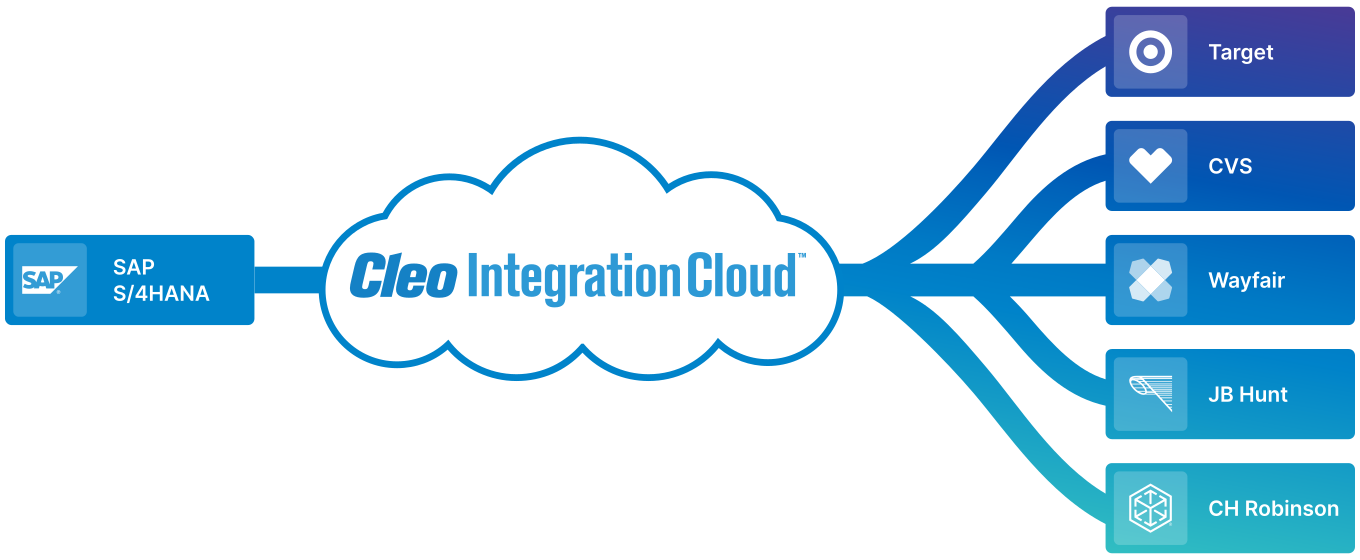






What Cleo Integration Cloud enables around SAP.
Speed time-to-revenue
Accelerate EDI, eCommerce, and marketplace business with ready-to-deploy integration flows and reusable SAP business-process logic.
Automate key business processes
Streamline order capture, acknowledgement, fulfillment, shipping, invoicing, and related order-to-cash workflows.
Reduce integration complexity
Reduce custom coding and implementation risk with proven business-process logic, reusable schemas, rulesets, and connector resources.
Gain end-to-end visibility
Use real-time monitoring and analytics to understand SAP-connected transactions, business-process status, and exceptions.
See how Cleo connects SAP S/4HANA to your broader business ecosystem.
Watch how Cleo Integration Cloud helps organizations connect SAP with trading partners, EDI transactions, APIs, applications, and automated business processes while improving visibility and reducing custom integration work.
The video provides a useful product overview before you dive into the technical details of the SAP S/4HANA Cloud connector and its supported services.
Connect SAP services to CIC Studio and reuse them inside broader integration workflows.
Cleo’s SAP S/4HANA Cloud Connector supports OData V2, OData V4, and synchronous SOAP services. Connector projects generate resource-specific Business Processes and Schemas that can be incorporated into larger integration projects.
Select SAP services
Choose the required OData V2/V4 services or import WSDL files for synchronous SOAP services.
Generate reusable resources
CIC creates object-specific Business Processes and request/response Schemas that can be used in Rulesets and orchestration.
Orchestrate the ecosystem
Connect SAP data to EDI partners, APIs, databases, CRM, WMS, TMS, eCommerce, and other business systems.
Automate SAP order-to-cash transactions with prebuilt X12 flows.
Cleo’s SAP S/4HANA Cloud Accelerator supports a broad order-to-cash transaction set and provides dashboards for monitoring message translation activity.
Order management
Automate inbound purchase orders, changes, acknowledgements, and related order transactions around SAP sales processes.
Fulfillment & logistics
Coordinate ASNs, warehouse orders, receipts, shipments, and inventory-related transactions.
Billing & retail
Support invoices and industry-specific retail/grocery documents as part of the same SAP-connected integration layer.
See SAP-connected business processes, not just integration messages.
Monitor EDI and API transactions, message translation counts, integration status, and exceptions so teams can resolve issues before they become fulfillment delays, SLA misses, or chargebacks.
Cleo’s SAP accelerator dashboards can track transactions such as 850, 856, 810, 846, 940, 945, 875, 880, 860, 943, and 944.
What users say about ERP and EDI integration with Cleo.
Cleo’s SAP page highlights customer feedback about replacing fragile internal APIs and custom EDI connectors, improving ERP integration, and becoming more self-sufficient.
More reliable ERP integration
One verified reviewer describes replacing problematic internal APIs and custom EDI connectors with processes that run more efficiently and with fewer errors.
Verified G2 UserStrong EDI-to-ERP connectivity
Another verified reviewer highlights Cleo as a strong software provider for integrating EDI processes into the ERP environment.
Verified G2 UserGreater integration independence
A reviewer notes that their team became less dependent on ERP-vendor timelines and gained the ability to integrate additional systems themselves.
Mauro B.Connect SAP S/4HANA to retailers, logistics providers, and trading partners.

SAP & ERP Customer Stories
See how Cleo customers use integration to modernize SAP-connected EDI, accelerate partner onboarding, reduce errors, and prepare for S/4HANA.


Sauder Woodworking
Uses SAP S/4HANA and Cleo to support 170+ trading partners, 30+ document types, and more than 200,000 transactions each month.
Read the customer story
Victrola
Reduced partner onboarding from months to under five days and cut SAP IDoc errors from thousands to well under 50 per month while preparing for S/4HANA.
Read the customer story

Mondetta
Modernized ERP-connected EDI workflows and reduced customer-connection project timelines from weeks or months to days.
Read the customer story
“It doesn’t matter if I'm using Shopify as my eCommerce platform, or if I'm using NetSuite, or I’m using EDI with my customers, and it doesn’t matter what ERP I’m using . . . With Cleo Integration Cloud we were able to deliver everything faster to our customers.”
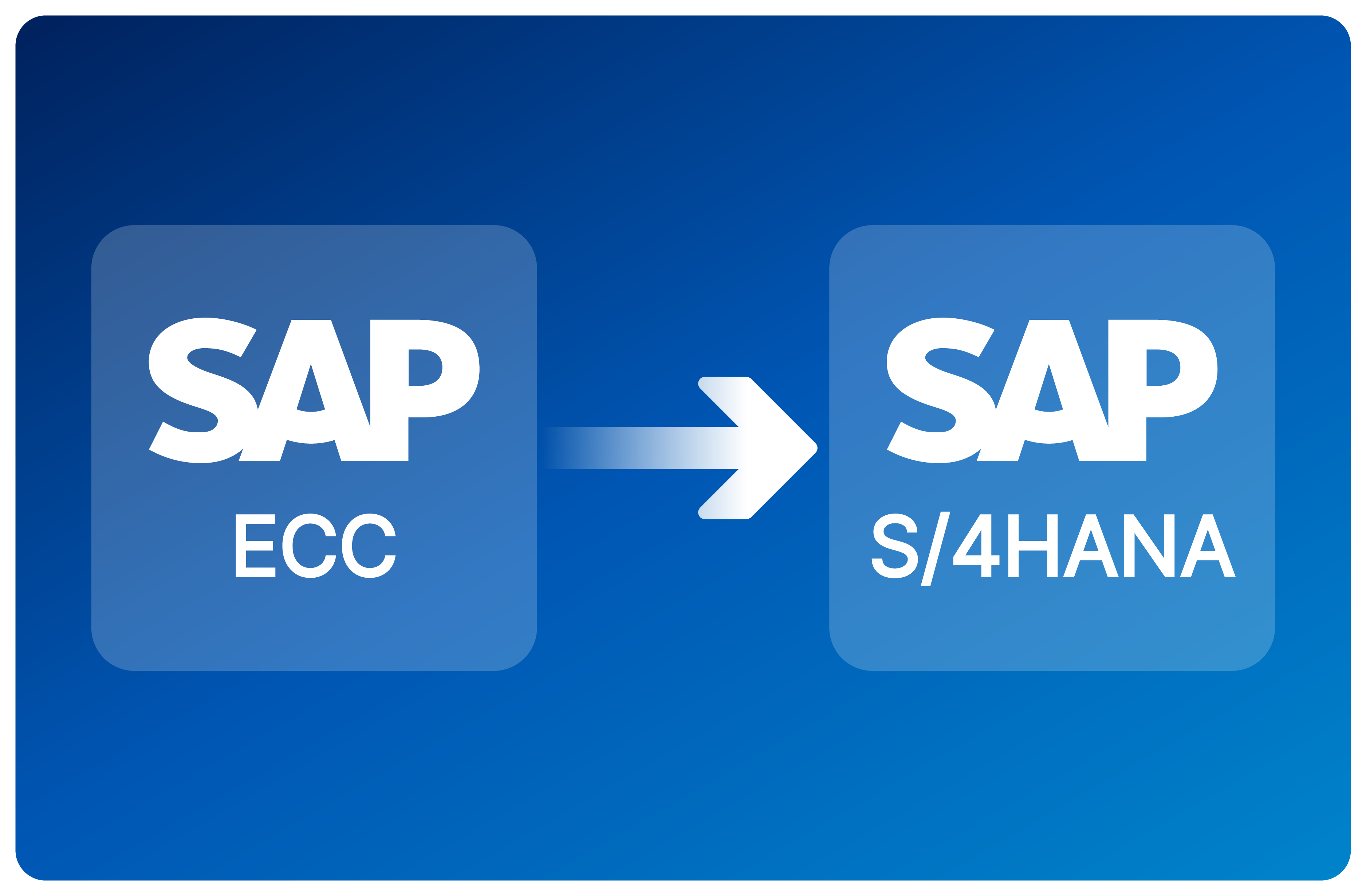
Migrating from SAP ECC to S/4HANA? Cleo can help.
Use an integration-first migration approach to modernize partner connectivity without forcing every EDI and API relationship to cut over at the same time as the ERP.
- Move priority partners onto Cleo while they still connect to SAP ECC.
- Build S/4HANA integrations in parallel and perform A/B testing before cutover.
- Phase the long tail of partners according to business priority and S/4HANA go-live timelines.
Explore SAP EDI integration and S/4HANA migration resources.
Best SAP EDI Integration for Orders, Invoices & ASNs
Learn how to automate purchase orders, invoices, ASNs, and trading-partner workflows across SAP and the rest of your ecosystem.
Read the guideWhat Is SAP EDI?
Review SAP EDI fundamentals, common transaction patterns, challenges, and integration best practices.
Read the guideKeys to a Successful SAP S/4HANA Migration
Explore essential steps and considerations for reducing delays and integration risk during an S/4HANA migration.
Read the migration guideCommon questions about SAP S/4HANA integration with Cleo.
These answers cover connector architecture, supported SAP services, EDI automation, implementation prerequisites, visibility, and ECC-to-S/4HANA migration planning.
How does Cleo connect to SAP S/4HANA Cloud?
Cleo’s SAP S/4HANA Cloud Connector works through SAP services rather than relying on a single proprietary interface. The connector supports OData V2, OData V4, and synchronous SOAP services. In CIC Studio, teams select the SAP services they need—or import the WSDL for a synchronous SOAP service—and Cleo generates connector projects containing resource-specific Business Processes and Schemas.
Those generated resources can then be used inside broader integration projects, allowing SAP operations such as sales orders, outbound deliveries, billing documents, and other services to participate in EDI, API, database, application, and partner workflows.
What must be configured in SAP before using the connector?
SAP communication management must be configured for the services Cleo will call. Cleo’s documented prerequisites include creating a Communication User, Communication System, and Communication Arrangement for the required SAP communication scenario.
S/4HANA Cloud supports Basic and client-certificate authentication for communication users. Your SAP team should also identify the required communication scenarios and services in SAP API Hub before building the connector project. The application connector requires specialized licensing from Cleo.
Which EDI transactions can Cleo automate around SAP S/4HANA?
Cleo documents a broad X12 order-to-cash Accelerator for SAP S/4HANA Cloud. Its monitoring dashboards include transactions such as 850 purchase orders, 856 ASNs, 810 invoices, 846 inventory inquiries/advice, 940 warehouse shipping orders, 945 warehouse shipping advice, 860 order changes, 943/944 warehouse transfers, and grocery-oriented 875/880 transactions.
The benefit is not simply translating individual documents. Cleo can orchestrate the related transactions into an end-to-end process, apply transformation and validation rules, route responses, and provide operational visibility across the full flow.
How does Cleo reduce custom SAP integration work?
The SAP connector generates reusable Business Processes and Schemas for selected services. These resources can be included in integration projects and mapped through CIC Rulesets rather than requiring teams to manually recreate the SAP interface for every trading partner or transaction.
That reusable layer is especially valuable when multiple retailers, suppliers, or applications need to interact with the same SAP object. Partner-specific EDI formats can vary while the SAP-side business process remains standardized and reusable.
Can Cleo provide visibility into SAP integration errors and transactions?
Yes. Cleo’s SAP S/4HANA Accelerator includes dashboard monitoring for supported EDI transactions, while Cleo Integration Cloud provides broader operational visibility across communications and data integration activity.
This gives teams a way to identify failed, missing, or delayed documents, understand where a transaction is in the business process, and resolve integration exceptions before they turn into fulfillment delays, missed SLAs, or retailer chargebacks.
Can Cleo help with an SAP ECC to S/4HANA migration?
Yes. Cleo documents an integration-first, three-phase migration approach. Priority partners can first move onto Cleo while continuing to connect to SAP ECC. Teams can then build and test S/4HANA integrations in parallel while the long tail remains on the existing environment.
As the S/4HANA go-live approaches, partner cutovers can be phased according to business priority rather than forcing every EDI and API connection to migrate on the same day. This helps separate partner-integration risk from the ERP cutover itself and preserves visibility throughout the transition.
See SAP S/4HANA integration in your environment.
Talk with Cleo about your SAP services, EDI transactions, trading partners, order-to-cash flows, visibility requirements, and ECC-to-S/4HANA migration plans.