What Is an EDIFACT ORDERS? EDIFACT Transactions
What is the ORDERS Message?
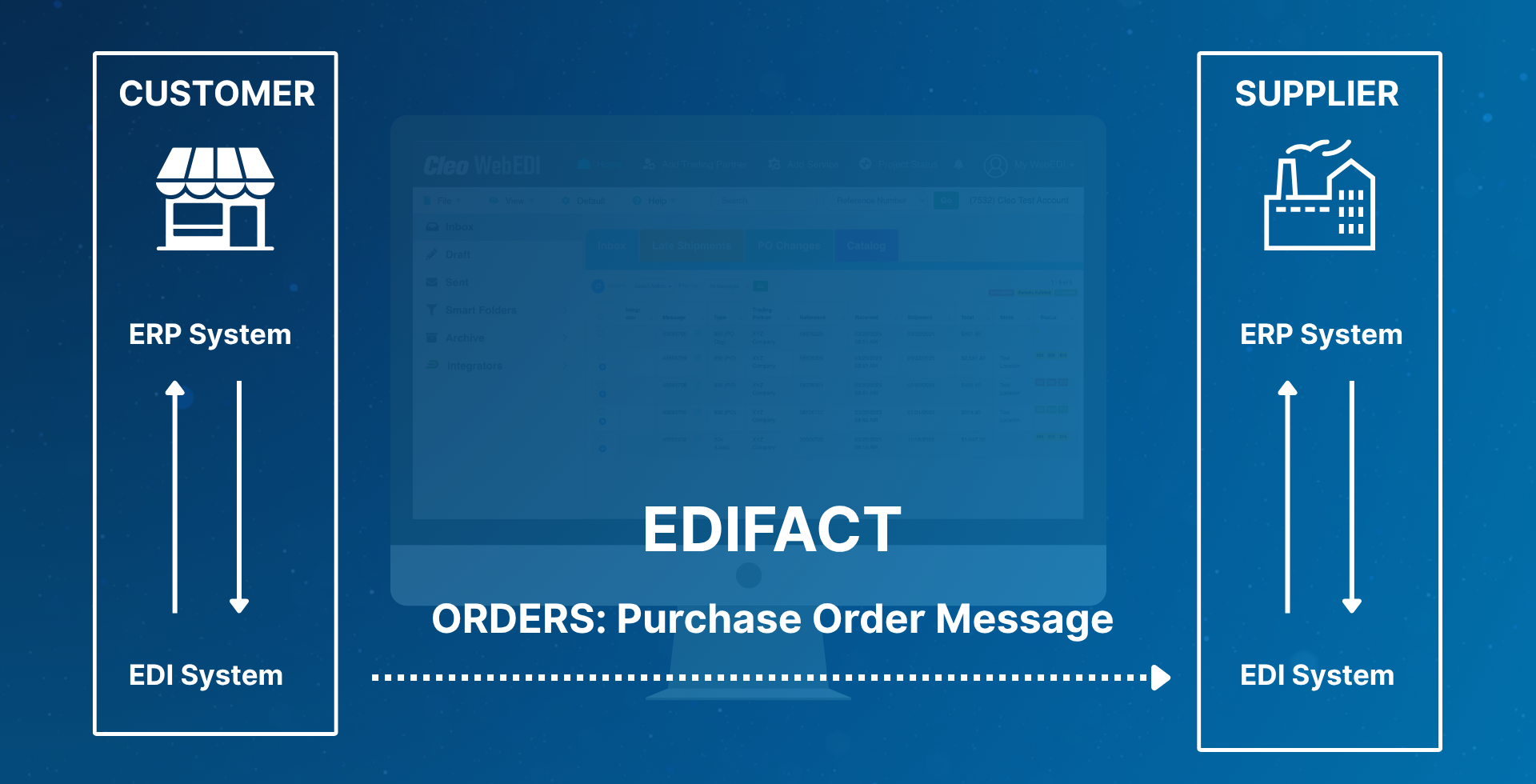
The UN/EDIFACT ORDERS format is an electronic purchase order. Customers send it to suppliers to request goods or services.
This EDI (Electronic Data Interchange) message is a core document. It's vital for automating business-to-business (B2B) document exchanges in most EDI workflows.
An EDIFACT ORDERS message is an electronic purchase order used in EDI (Electronic Data Interchange) under the EDIFACT standard (Electronic Data Interchange for Administration, Commerce and Transport). It is used by a buyer to request goods or services from a seller.
Key Points of EDIFACT ORDERS:
Message Type: ORDERS is the official EDIFACT message name for a purchase order.
Purpose: It specifies the details of an order, including products, quantities, delivery dates, prices, terms of payment, and delivery instructions.
Standardized Format: Designed to be machine-readable, so systems across different companies can exchange order data without manual input.
Example Use Case:
A retailer sends an EDIFACT ORDERS message to a manufacturer to purchase 1,000 units of a specific product, to be delivered by a certain date, at an agreed price.
Benefits:
- Automation of the order process
- Reduced errors from manual data entry
- Faster processing of purchase orders
- Improved supply chain visibility
How the EDIFACT ORDERS Message is Used
The EDIFACT ORDERS message is used to automate and streamline the process of placing purchase orders between trading partners using electronic data interchange (EDI). Rather than relying on paper-based or manually entered orders, businesses use this standardized message format to transmit order information directly from one system to another, ensuring accuracy, speed, and efficiency in procurement.
At its core, the EDIFACT ORDERS message serves as a formal request from a buyer to a seller to supply specific goods or services. It includes all essential details such as product identifiers, quantities, agreed prices, delivery instructions, and terms of payment. This level of specificity reduces the chance of errors and misunderstandings that can occur with manual orders or phone/email communications.
Businesses use the ORDERS message to:
- Initiate transactions automatically between systems
- Eliminate manual order entry, which can be time-consuming and error-prone
- Enable just-in-time inventory management by ensuring suppliers receive timely, accurate order data
- Support high-volume trading relationships where hundreds or thousands of orders may be exchanged daily
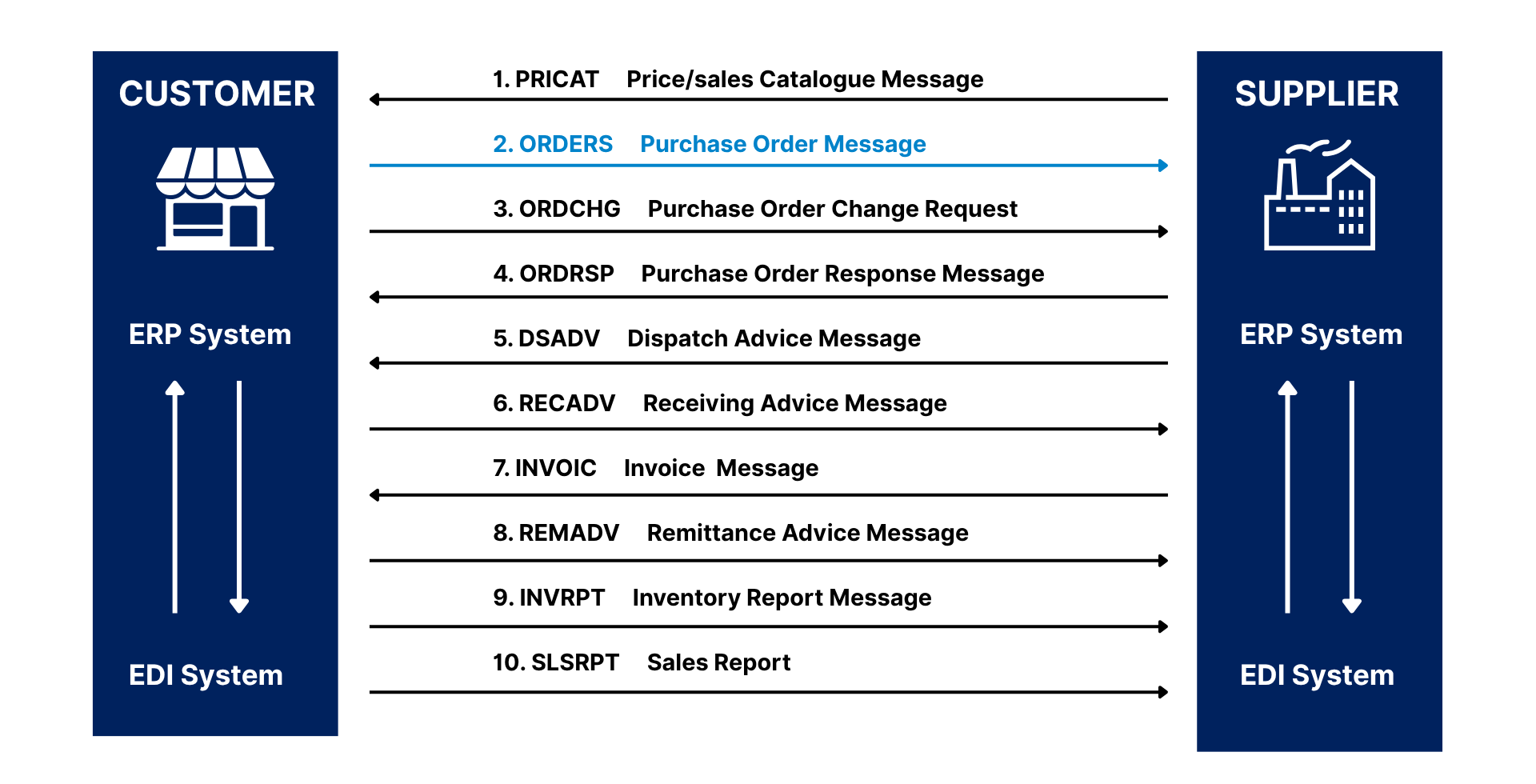
By adhering to the EDIFACT standard, companies ensure interoperability between different systems, regions, and industries. This is especially critical for international trade, where language and formatting differences can cause friction. The standardized structure of the ORDERS message ensures consistency regardless of the systems used by each trading partner.
In addition to operational efficiency, the use of EDIFACT ORDERS messages supports better supply chain visibility. Since data flows automatically, both buyers and sellers can monitor order status in near real-time, respond to changes more effectively, and optimize their logistics planning.
The EDIFACT ORDERS message is a building block in EDIFACT transactions, enabling faster, more reliable business transactions and fostering stronger, more data-driven trading relationships.
EDIFACT ORDERS File Structure
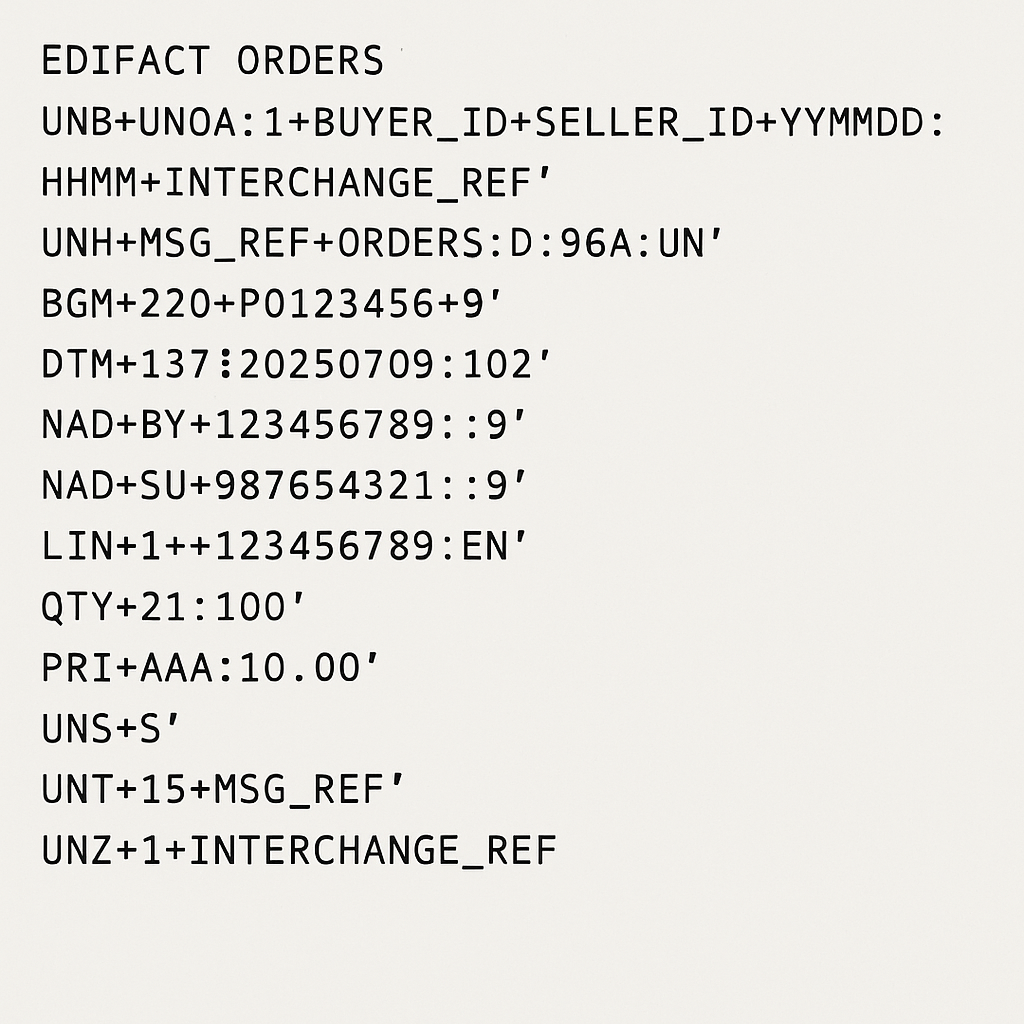
A typical EDIFACT ORDERS message has a structured format composed of segments, each containing specific types of information related to the purchase order. These segments are grouped into sections: the header, detail (line items), and summary.
Here’s an overview of how a standard EDIFACT ORDERS message is structured:
Segment - Description:
UNB - Interchange header
UNH - Message header
BGM - Beginning of message
DTM - Dates (order, delivery, etc.)
NAD - Name and address (buyer/seller)
LIN - Line item
QTY - Quantity
PRI - Price
UNS - Section separator
UNT - Message trailer
UNZ - Interchange trailer
Equivalents of the EDIFACT ORDERS Message in Other EDI Standards
The EDIFACT ORDERS message serves as a universal purchase order document in the UN/EDIFACT standard, used extensively across Europe, Asia, and many parts of the world. However, EDI standards vary by geography and industry, and so do their naming conventions and formats for purchase orders.
Here are the primary equivalents in other common EDI standards:
1. ANSI X12 (North America)
The ANSI ASC X12 standard is the dominant EDI framework in North America. It offers more specialized purchase order message types than EDIFACT:
- X12 850 – General Purchase Order
Used across industries such as retail, manufacturing, automotive, and distribution. - X12 875 – Grocery Products Purchase Order
Tailored specifically for the food and fresh goods industry (e.g., supermarkets, wholesalers), with fields relevant to perishable items.
Key distinction:
Where EDIFACT uses one ORDERS message for all purchasing use cases, X12 separates them into more industry-specific documents to reflect different business needs.
2. TRADACOMS (United Kingdom)
TRADACOMS is an older but still active EDI standard primarily used in the UK retail sector. It uses:
- ORDHDR – Order Header
This is the TRADACOMS equivalent of the EDIFACT ORDERS message, representing a standard purchase order. - Notable characteristic:
TRADACOMS messages are more hierarchical and less modular than EDIFACT, and often depend on industry-specific codes and frameworks.
3. Other Notable Mentions
- VDA (Germany, Automotive)
Used by German automotive manufacturers and their suppliers, VDA standards (like VDA 4905) serve similar purposes for ordering but are typically more rigid and specific to the automotive industry. - HL7 (Healthcare, Global)
While not a direct counterpart for purchase orders, HL7 is a standard for EDI in the healthcare industry, handling messages like patient records and billing, rather than supply chain transactions.
Common Errors When Using the EDIFACT ORDERS Message
Despite the power and efficiency of EDI, the accuracy of data is critical for ensuring seamless transactions. The EDIFACT ORDERS message is especially sensitive to mismatches between customer and supplier systems. Here are typical challenges:
1. New Ship-To Addresses
If a buyer includes a new shipping location in the ORDERS message (via the NAD+DP segment), and that address isn't yet set up in the supplier's system, it will lead to:
- Rejected orders
- Delays in fulfillment
- Manual intervention to resolve discrepancies
2. Unrecognized Items or SKUs
When customers place orders that include:
- New product SKUs
- Incorrect item codes
- Discontinued items
Suppliers may not recognize them in their ERP system, resulting in:
- Order processing errors
- Incomplete deliveries
- Time-consuming clarifications between buyer and seller
3. Price Mismatches
If the unit price stated in the purchase order (in the PRI segment) doesn’t match the pricing stored in the supplier’s system:
- The order may be flagged for review or rejected.
- It may result in invoice discrepancies and disputes later in the cycle.
- It often reflects a lack of synchronization in pricing agreements or master data between parties.
Simplify and Strengthen Your EDIFACT EDI Operations with Cleo
Managing EDIFACT ORDERS transactions across diverse trading partners, regions, and systems isn’t just about sending files — it’s about ensuring data accuracy, visibility, and speed. That’s where Cleo comes in.
With Cleo's cloud-based EDI platform, you can eliminate the common pain points that often disrupt EDIFACT workflows — from unrecognized addresses to missing product codes to price mismatches — by enabling a smarter, more connected integration strategy.


