EDI UCC 128 Label: Shipping Container Labeling
Read the guide below to learn about the EDI UCC 128.
If you need EDI UCC 128s, contact our team of EDI experts today.


What is a UCC-128 Label?
A UCC-128 label, also known as a GS1-128 shipping label, is a standardized barcode label used to identify and track individual shipping containers or pallets. It contains encoded information such as a Serial Shipping Container Code (SSCC), which links the label to the shipping notice (EDI 856) and order data (EDI 850).
These labels are essential in retail, manufacturing, and logistics to enable automated receiving and supply chain visibility.
What are the Essential Components of a UCC-128 Label?
A typical UCC-128 label includes:
- SSCC-18 barcode (unique shipping identifier)
- Purchase order number
- Ship-from and ship-to addresses
- Carrier information
- Carton or pallet number
- Human-readable item descriptions
How do I Use a UCC-128 Label?
UCC-128 labels are generated by the supplier or warehouse at the time of shipping and affixed to each carton or pallet. When scanned upon arrival, the barcode provides a link to the associated Advance Ship Notice (EDI 856), which contains all shipment details.
Retailers and warehouses use UCC-128 scanning to confirm receipt, speed up check-in, and automate inventory entry.

What are the Benefits of UCC-128 Labels?
UCC-128 labels reduce receiving errors, eliminate manual barcode entry, and ensure traceability of each shipped container. By integrating with EDI workflows, they support faster, more accurate shipping and receiving processes.
For retailers with just-in-time inventory models, UCC-128 labeling is a compliance requirement that helps maintain inventory integrity, reduce chargebacks, and enable real-time supply chain data sharing. Furthermore, what will you gain from leveraging Cleo's expertise and services for your EDI?
With Cleo's EDI solutions
vs
Without Cleo's EDI solutions
Notifications: Receive real-time alerts for inbound orders
Missed or delayed orders due to lack of real-time alerts
Intuitive Webforms: Auto-fill response docs to eliminate manual data entry
Time-consuming manual data entry that introduces frequent errors
Smart Folders: Organize documents dynamically based on custom rules
Disorganized document storage and difficult retrieval during audits or fulfillment
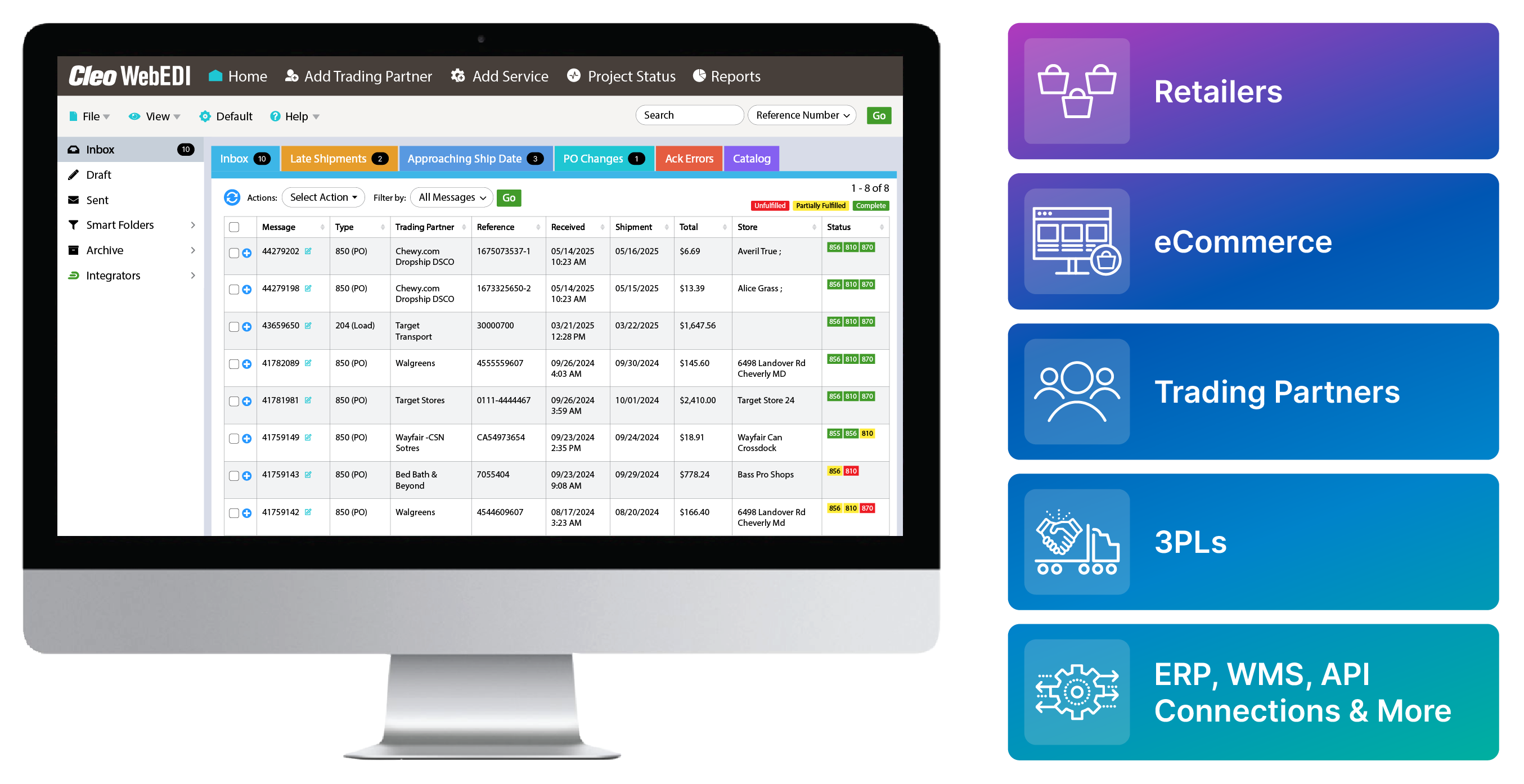
Document Fulfillment Dashboard: Monitor order statuses live—unfulfilled, partial, or complete
Limited visibility into which orders are unfulfilled, partially shipped, or completed
Label & Document Printing: Instantly generate shipping labels and compliance docs
Manual label generation that slows down shipping and risks compliance violations
Catalog Management System: Pair with Auto-Pack ASN for rapid order response
Delays in ASN creation due to disconnected catalog systems
Batch Processing: Process and print multiple documents and labels at once
Inefficiency when processing documents or labels one-by-one in high-volume scenarios
Scalable Portal: Seamlessly integrate with any ERP, WMS, or accounting system
Disjointed systems requiring duplicate data entry across ERP, WMS, or accounting platforms
Keep a list of all X12 EDI transaction sets at hand.
Access a free EDI Transaction Set Guide
More EDI Resources
Explore additional EDI resources to deepen your understanding and enhance your proficiency in Electronic Data Interchange.
-
 3 Ways to Become EDI Compliant & Eliminate EDI Chargebacks
Many major companies have requirements for EDI trading partner setup and maintenance, both of which are important in keeping compliant...
Read the Blog
-
 EDI Visibility & Business Insights
23% of companies say visibility is one of their biggest integration challenges. Let's analyze this issue and unleash a powerful solution...
Read More
-
 EDI Integration in Action
Explore a curated list of videos to help you understand the unprecedented value of EDI integration...
Start Watching